
Degree record
The degree record holds every module in your degree: passed, credited, in progress and still to take, together with their assessments. Open it from Progress → Degree record → Manage or Account → Degree record.
Adding modules
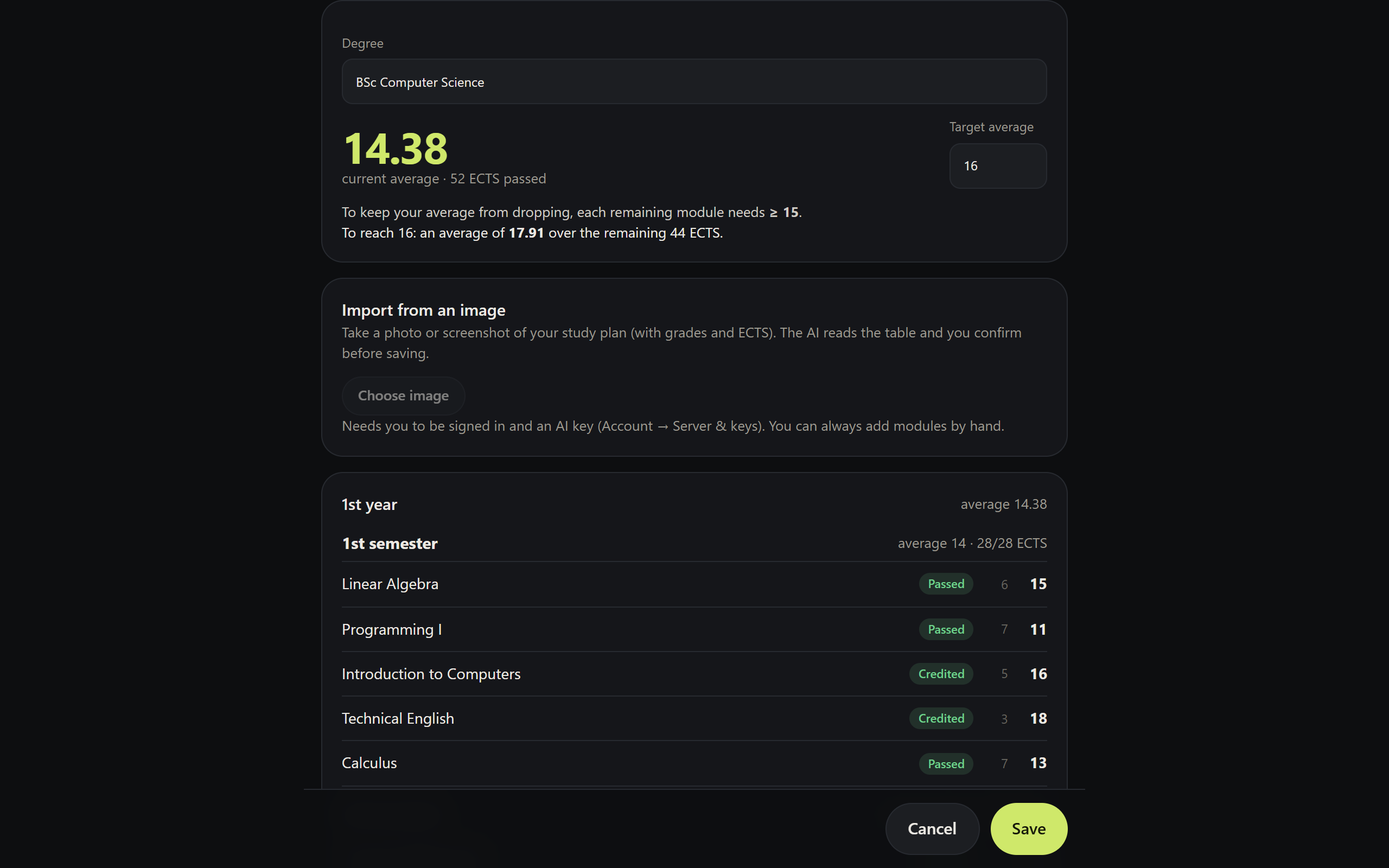
From a photo
Take a photo or screenshot of your curriculum (the student-services table with ECTS and grades) and choose Import from an image. The AI reads the table — year, semester, module, ECTS, grade, date, type (e.g. CC, credited) and elective groups — and shows it as an editable list. Nothing is saved until you confirm. Modules with the same name are updated, not duplicated.
The image is shrunk on the phone before it's sent, and the result is cleaned on the server: grades only between 0 and 20, dates only in YYYY-MM-DD, rows without a name discarded.
By hand
+ Add module opens the editor. It works without AI and without an internet connection.
The average
Grades use the Portuguese 0–20 scale, where 9.5 is a pass, and each module carries a number of ECTS credits.
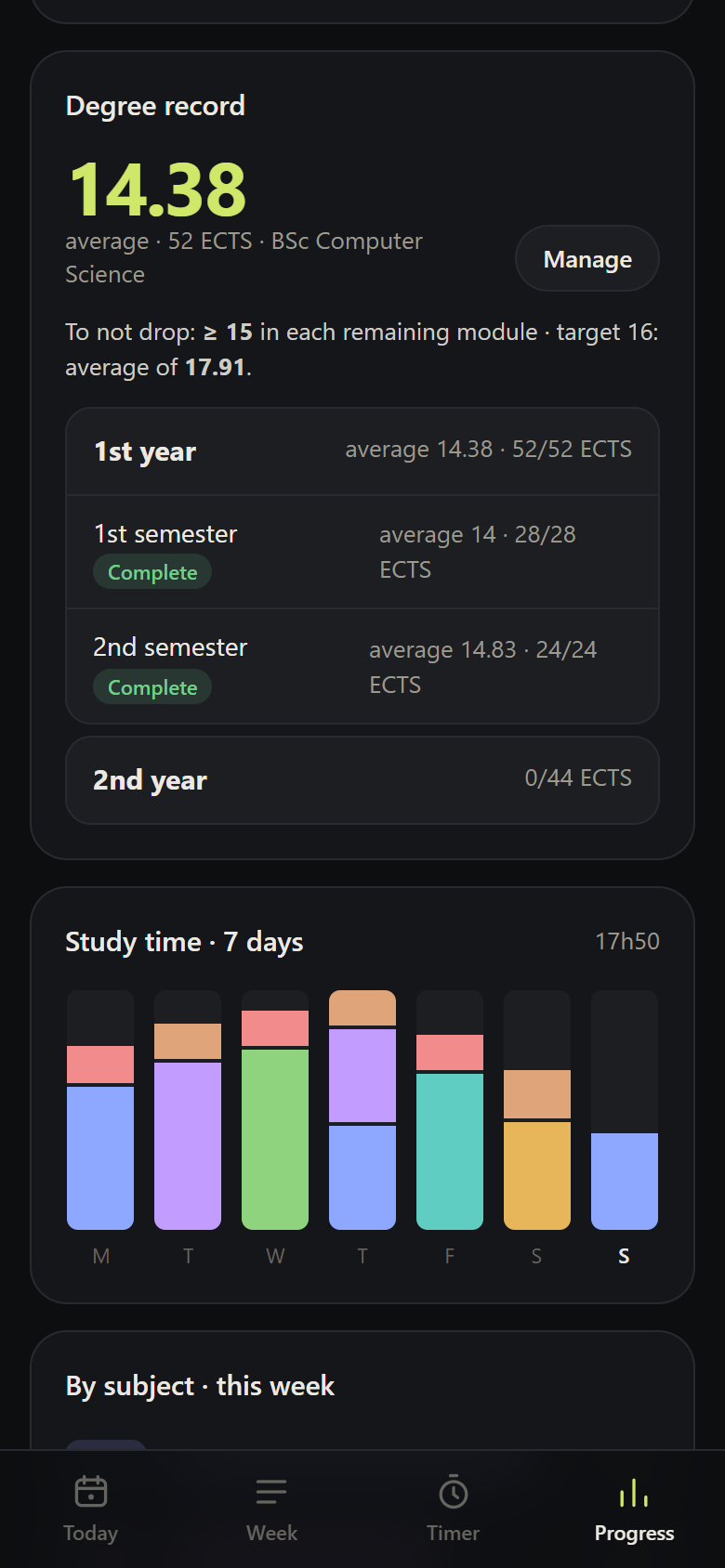
- Weighted by ECTS across passed modules (including credited ones), truncated to 2 decimal places — as student services do it. Tested against a real transcript: 16.57 with 78 ECTS.
- To keep your average from dropping: the minimum whole-number grade that holds the average in each remaining module (at 16.57, it's 17 — a 16 would already lower it).
- Target: set a target average and the app works out the average you need across the remaining ECTS, or warns you if it's no longer reachable.
- Elective groups (options, final project): only the ones you choose count — Internship or Project, not both.
Assessments, exam periods and resits
| Case | How to record it |
|---|---|
| Final exam | One assessment, weight 100 |
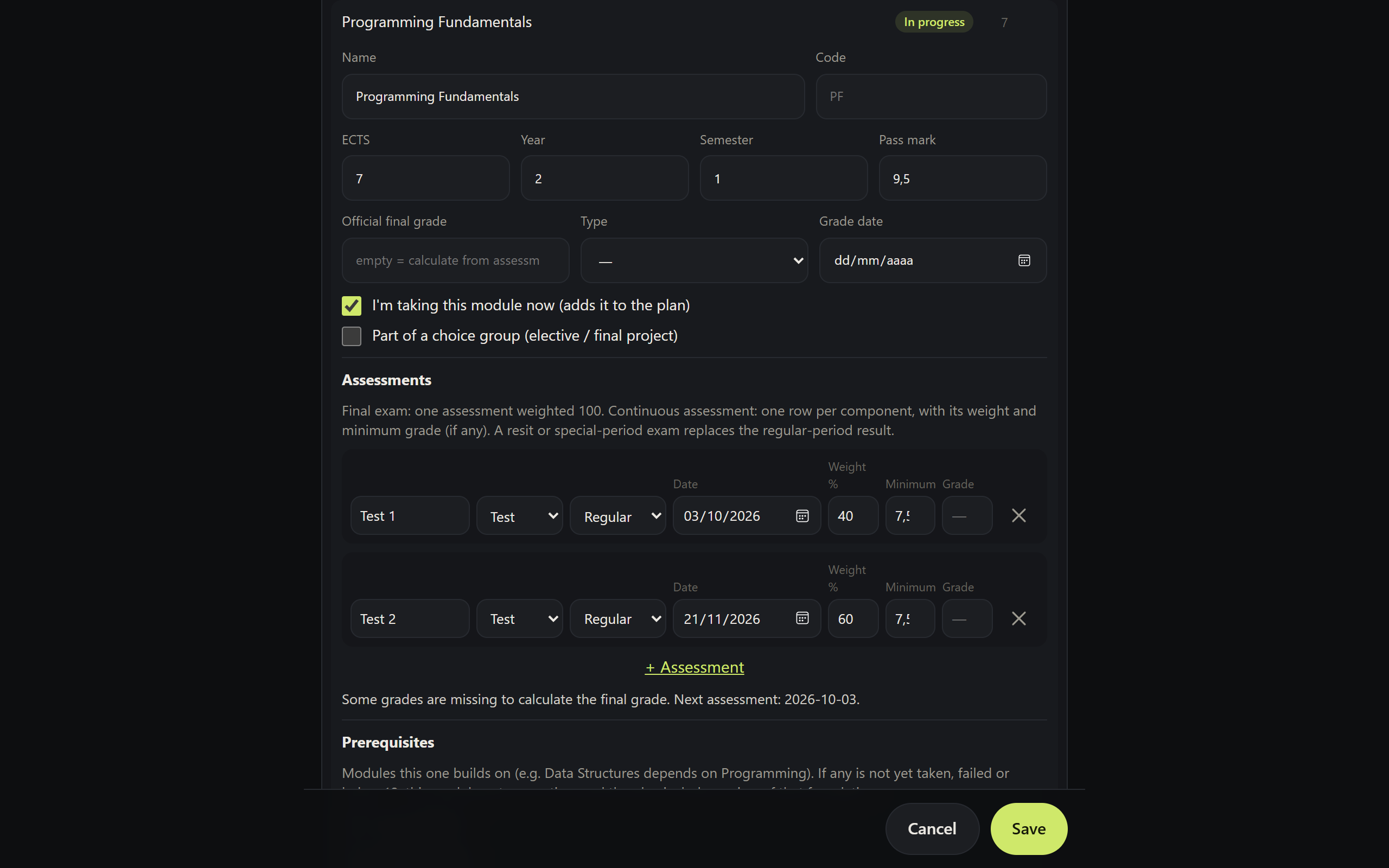
| Continuous assessment | One row per component (test, assignment, midterm…), with a weight and a minimum grade if there is one (e.g. 7.5) |
| Resit / special period | One assessment with the period set to Resit or Special |
| Credit transfer / equivalence | Official final grade with type CC |
Rules:
- Pass from 9.5 by default — adjustable per module.
- Final grade calculated from the weights once every regular exam period component has a grade, rounded like official grades (9.5 → 10). An official final grade, if you enter one, takes precedence.
- A component below the minimum grade → the module is immediately marked failed, even before the other assessments, and goes to the resit.
- A resit or special period assessment with a grade replaces the regular exam period result.
- The next assessment (the nearest one still without a grade) becomes the module's exam date in the plan. After a fail, only resit/special period assessments count.
- Failed with no resit date → a warning on the Today tab until you add one.
Prerequisites
In each module you mark the modules it depends on (e.g. Data Structures → Programming I). If any of them is:
- not yet taken or in progress (you're taking the module before its foundation),
- failed, or
- passed below 12,
the module gets a weak foundation: it receives more time in the allocation (×1.25) and, in the first few weeks, the AI adds short retrieval sessions on the topics of that foundation.
The new module's mastery doesn't change
A low grade in the foundation doesn't prove you don't know the new module — it's new material and always starts as "still to learn". Prior knowledge is a good predictor of new learning; how much extra time that justifies is a heuristic (the threshold of 12 and the factor of 1.25 are adjustable), later confirmed by your closed-book tests.
From the degree record to the plan
"I'm taking this module now" adds the module to the plan, with its ECTS, load and an exam date taken from its assessments. When the module is passed, it leaves the plan on its own and stays in the history. "Add this semester's remaining modules to the plan" does this for a whole semester at once.