Getting started
Estudar is a study system for higher education. It organises your week, guides each session in focus blocks and measures what you know unaided — because that is what counts on exam day.
Who it's for
- University students with several subjects, assessments with weights and minimum grades, resit periods and an average to keep up or raise.
- Anyone who wants to study the way research recommends — testing themselves, spacing, interleaving — without having to design the method alone.
- Anyone who studies on both phone and computer and wants everything in sync.
- Anyone who prefers to keep their data on their own server, for free, with open-source code.
The core idea
Learning is measured by unaided retrieval after some time has passed — never by hours or by performance while studying.
That's why Estudar separates two things most apps mix together:
| What the app records | Does it count towards your mastery? |
|---|---|
| Study hours, sessions completed, day streaks | No — it's shown as context |
| Exercises done with AI, notes or worked examples | No — shown separately, with a warning when you rely on help |
| Exercises done from memory while studying | No — it's practice; the effect hasn't had time to prove itself yet |
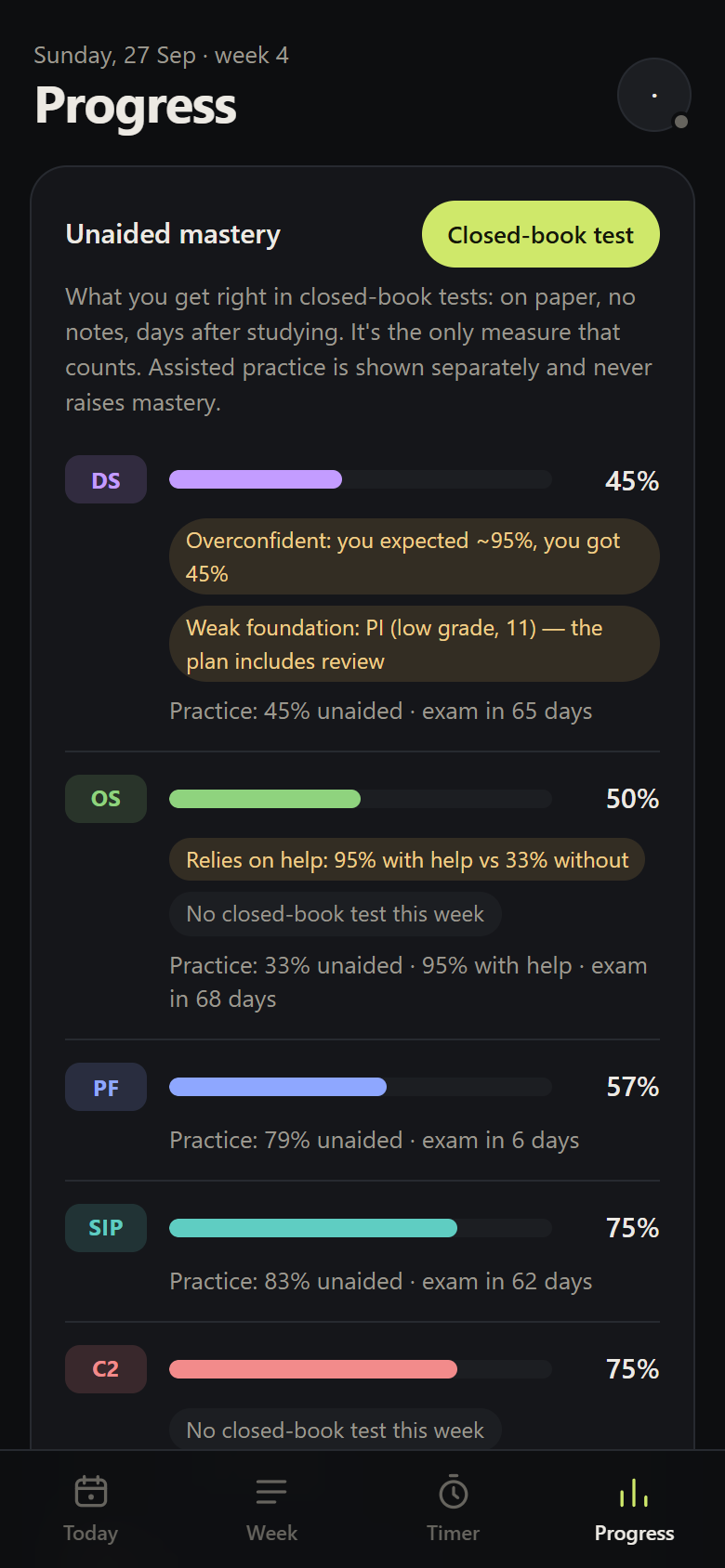
| Closed-book tests: on paper, no notes, days later | Yes — it's the only measure |
The full explanation, with references, is in Learning science.
What a day looks like
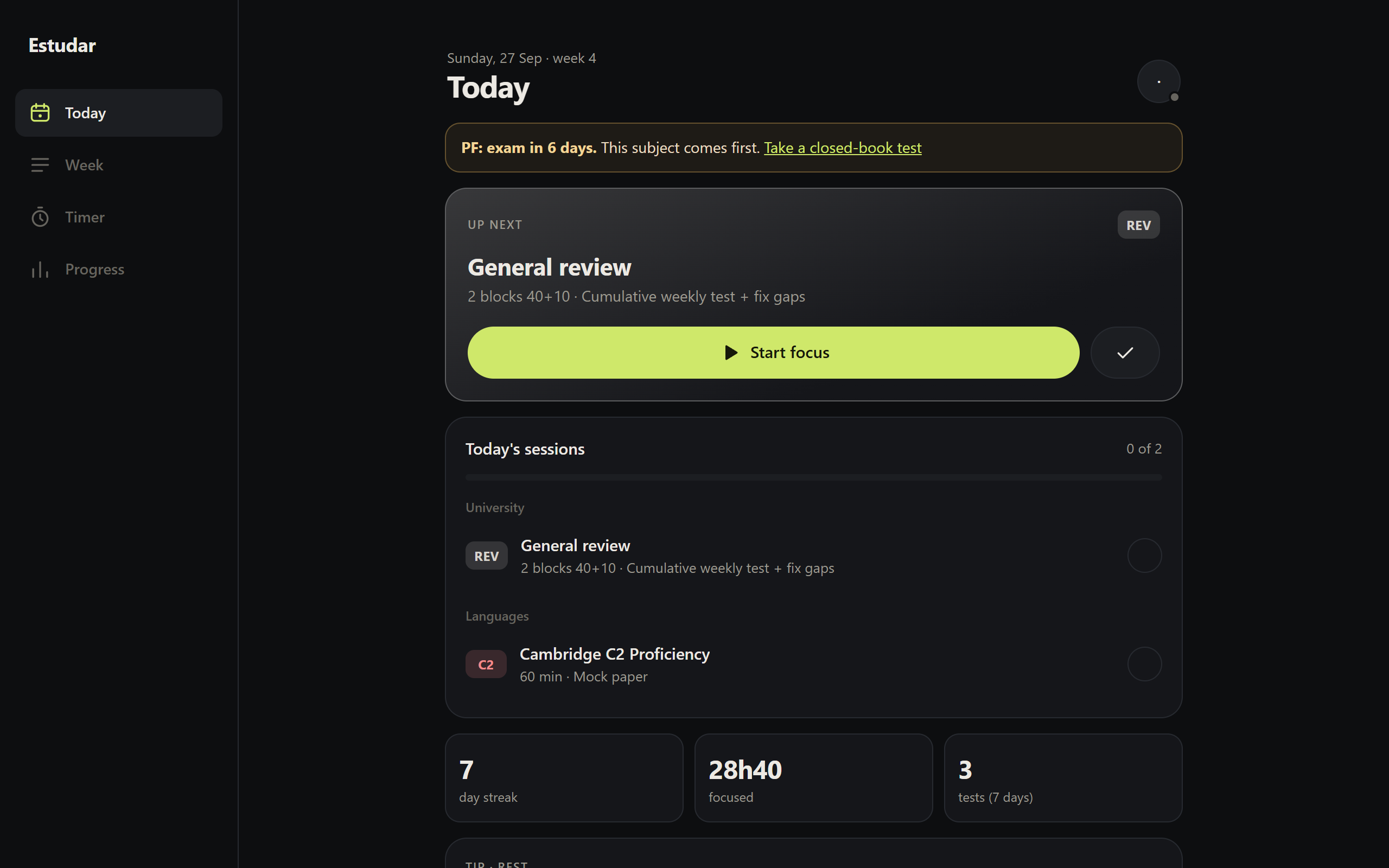
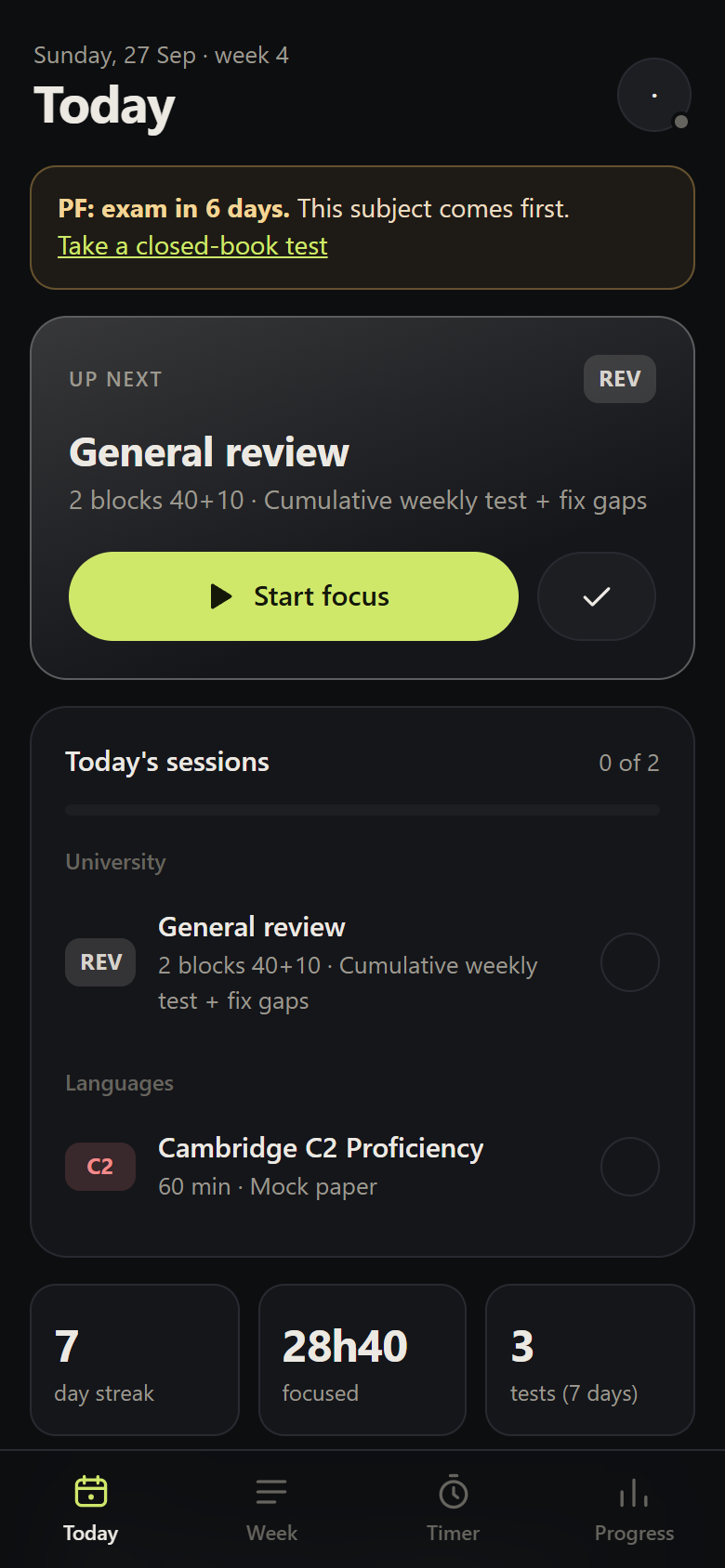
- Today shows the next session in your plan and alerts (upcoming exam, day before an exam, resit still to schedule).
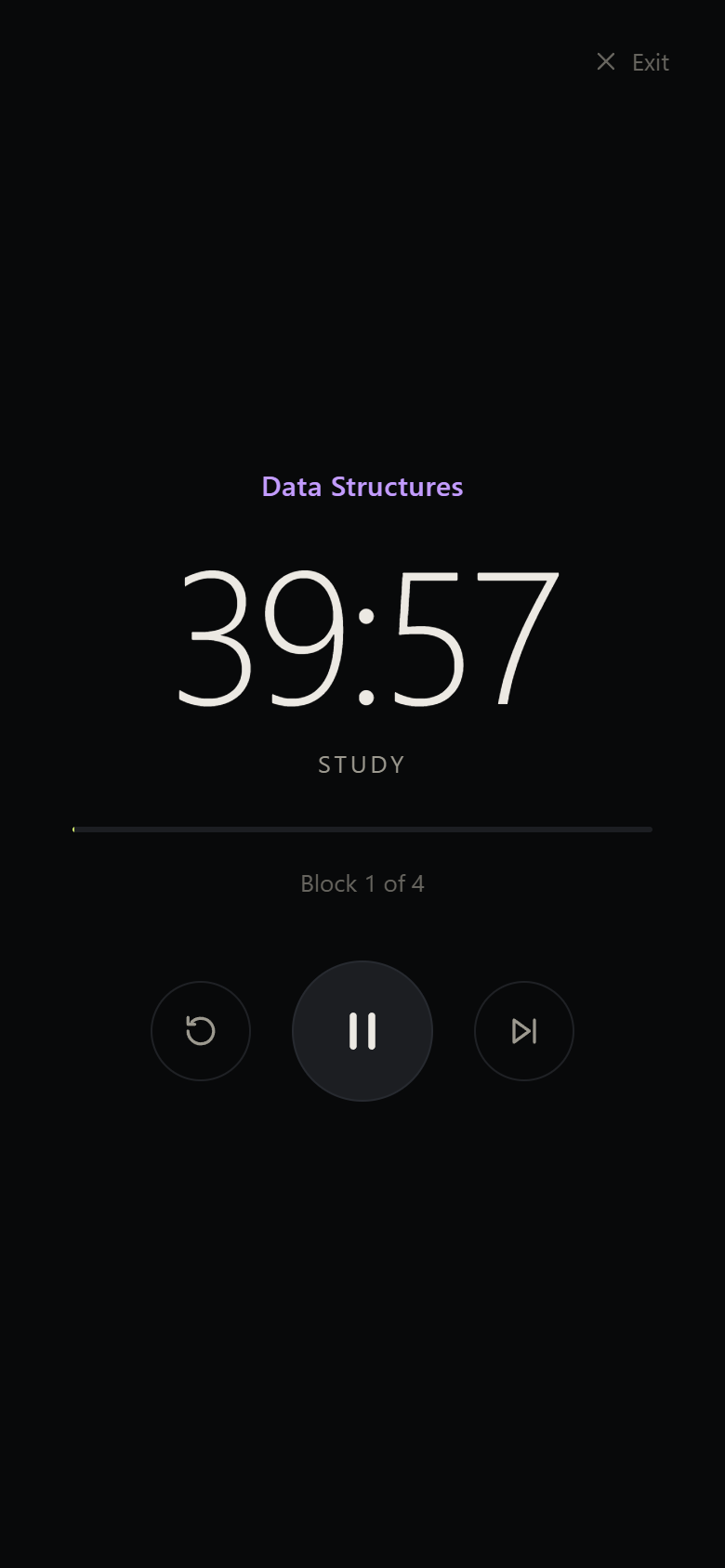
- Start focus opens focus mode: full screen, screen kept awake, 40+10 blocks.
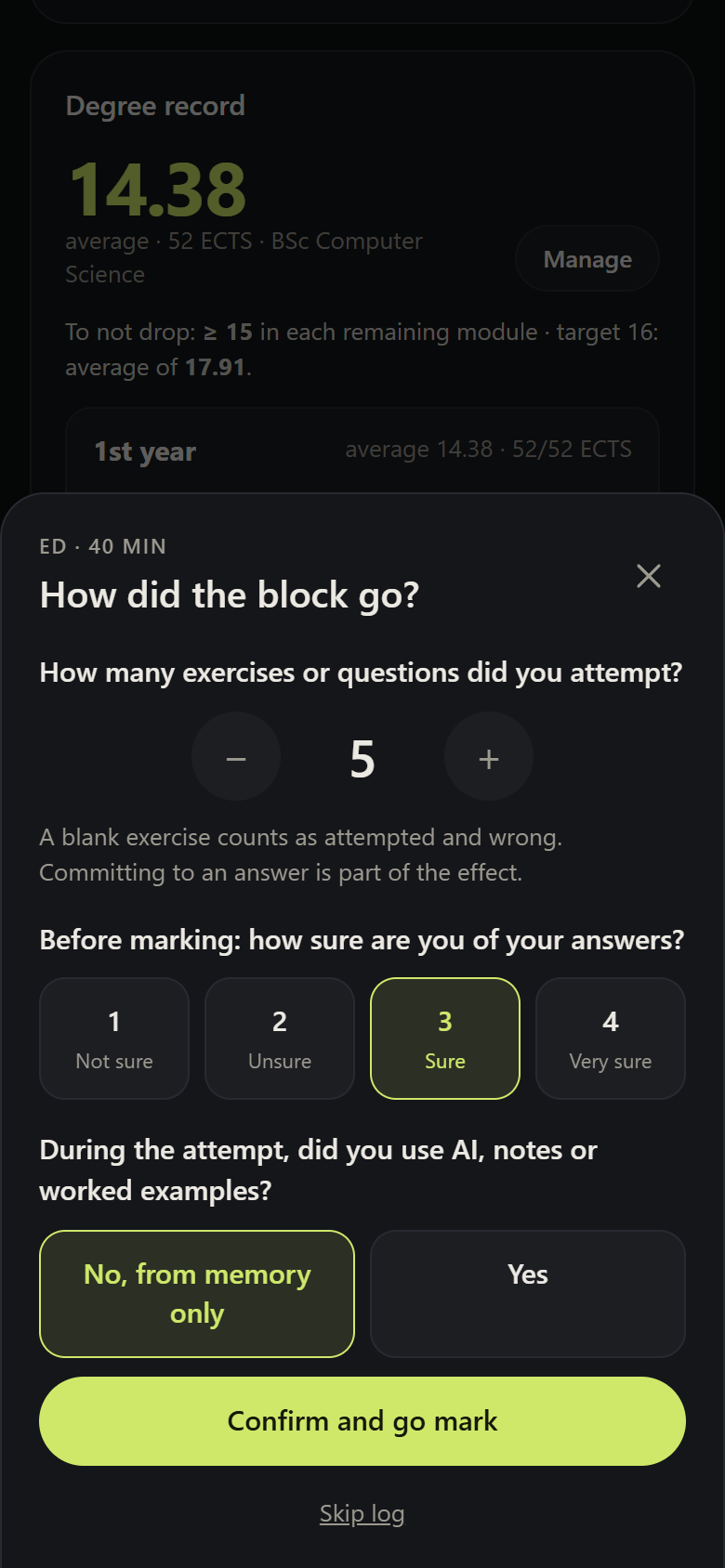
- At the end of each block, you log what you attempted and how sure you are — before marking. Only then do you enter how many you got right.
- Once a week, per subject, you take a closed-book test. That's where your mastery comes from.
- Progress shows first where your confidence misleads you, then where you're weakest, and then what has the nearest exam.
What you need
| To… | You need |
|---|---|
| Try it out (data in the browser only) | Node.js 20+ and npx estudar |
| Have an account and sync between devices | A Supabase project (free tier) |
| Generate plans and read your curriculum from a photo | An AI key — Gemini has a free tier |
| Access it from anywhere and install it on your phone | A Cloudflare account (free tier) |
All of this is set up inside the app, on the Server & keys screen.
The app is available in English and Portuguese. On first open it follows your browser's language; you can change it at any time under Account → Language.
Next steps
- Installation — from
npx estudarto a published app, in minutes. - Your first plan — from the example plan to your own, generated by the AI.
- Day to day — how to use the app to get the most out of the method.