Semester report
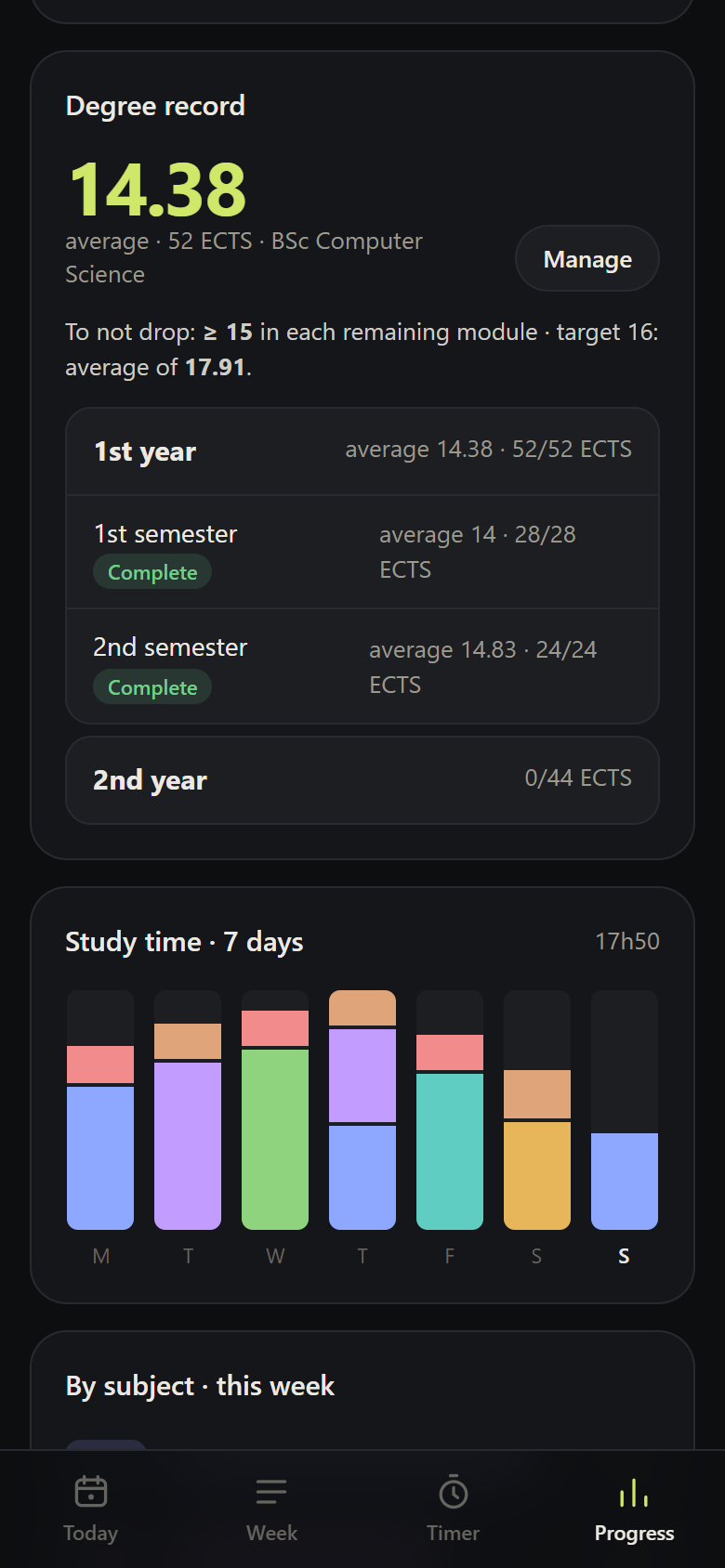
In Progress → Degree record, open a year to see its semesters with their average and ECTS. Open a semester for the report.
What it shows
At the top
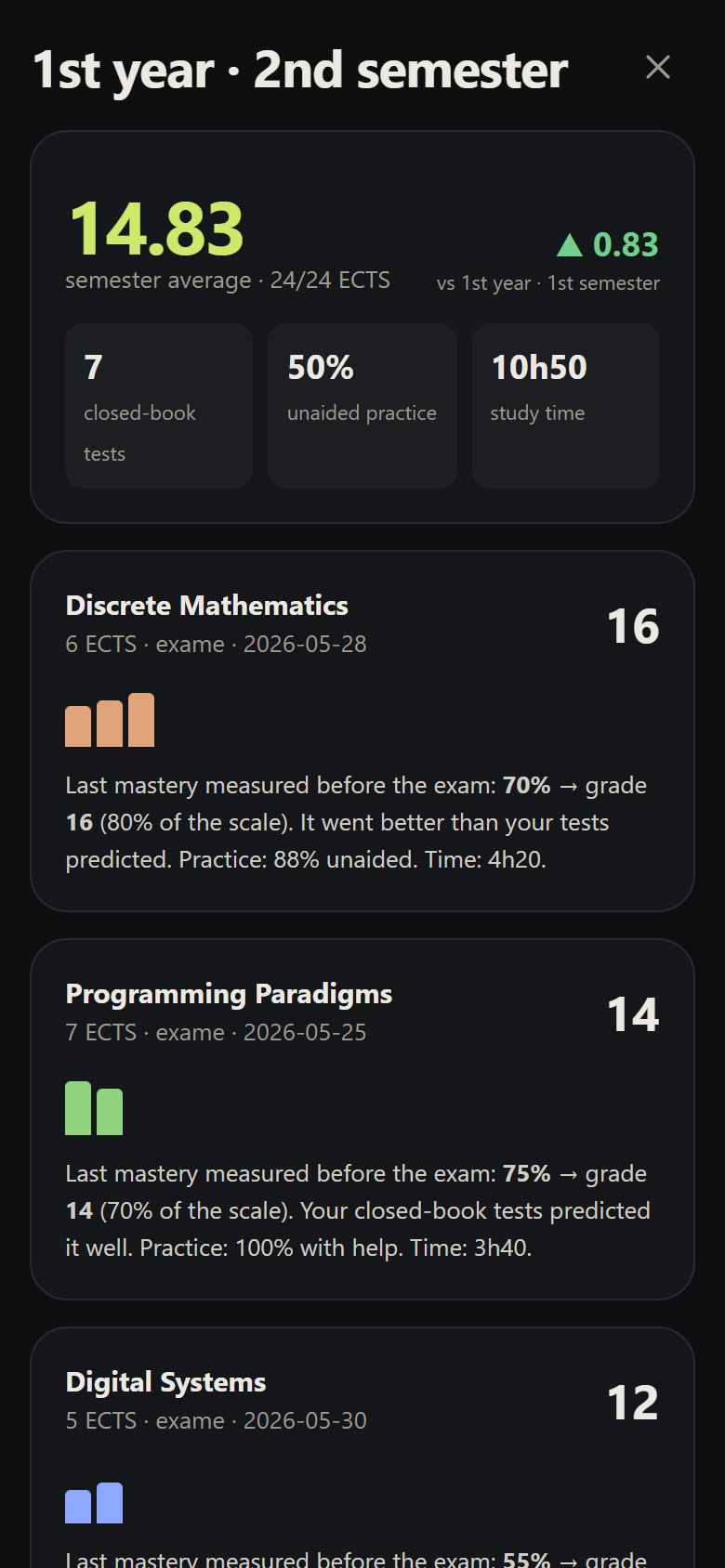
- Semester average (ECTS-weighted, truncated) and ECTS passed.
- Change from the previous semester (▲ green / ▼ red).
- Closed-book tests taken, % of unaided practice and study time — only for modules studied with the app.
Per module
- Final grade and type (exam, coursework, CC).
- Mastery over time: one bar per closed-book test across the semester.
- Prediction vs. reality: the last mastery measured before the exam compared with the grade:
- a difference of up to 10 points → "Your closed-book tests predicted it well."
- tests above the grade → "make them more like the exam."
- grade above the tests → "It went better than your tests predicted."
- Overconfidence, practice with help and unaided, and time.
Learning, not productivity
The report leads with the grade, unaided mastery and calibration. Time is shown, but in the background: hours and sessions are the signal that research shows to be misleading.
The question this view answers at the end of a year is: in the semesters when I took more closed-book tests and did less practice with help, were my grades better? That's how you tune the method with your own data — measure before deciding.
Modules with no logs
Modules that were credited or taken before you used the app appear with their grade and no study statistics. The app says so instead of making things up.