
Server & keys
The Account → Server & keys screen is where you connect the app to its services and check that everything is working. What it shows depends on where the app is running:
| The app runs on… | The screen shows |
|---|---|
npx estudar on your computer | Status + forms for the keys + table creation + publishing |
| Cloudflare (published) | Status, read-only — the keys are Worker secrets and can't be read |
| Static files only | A local-mode notice and how to connect a server |
The status panel
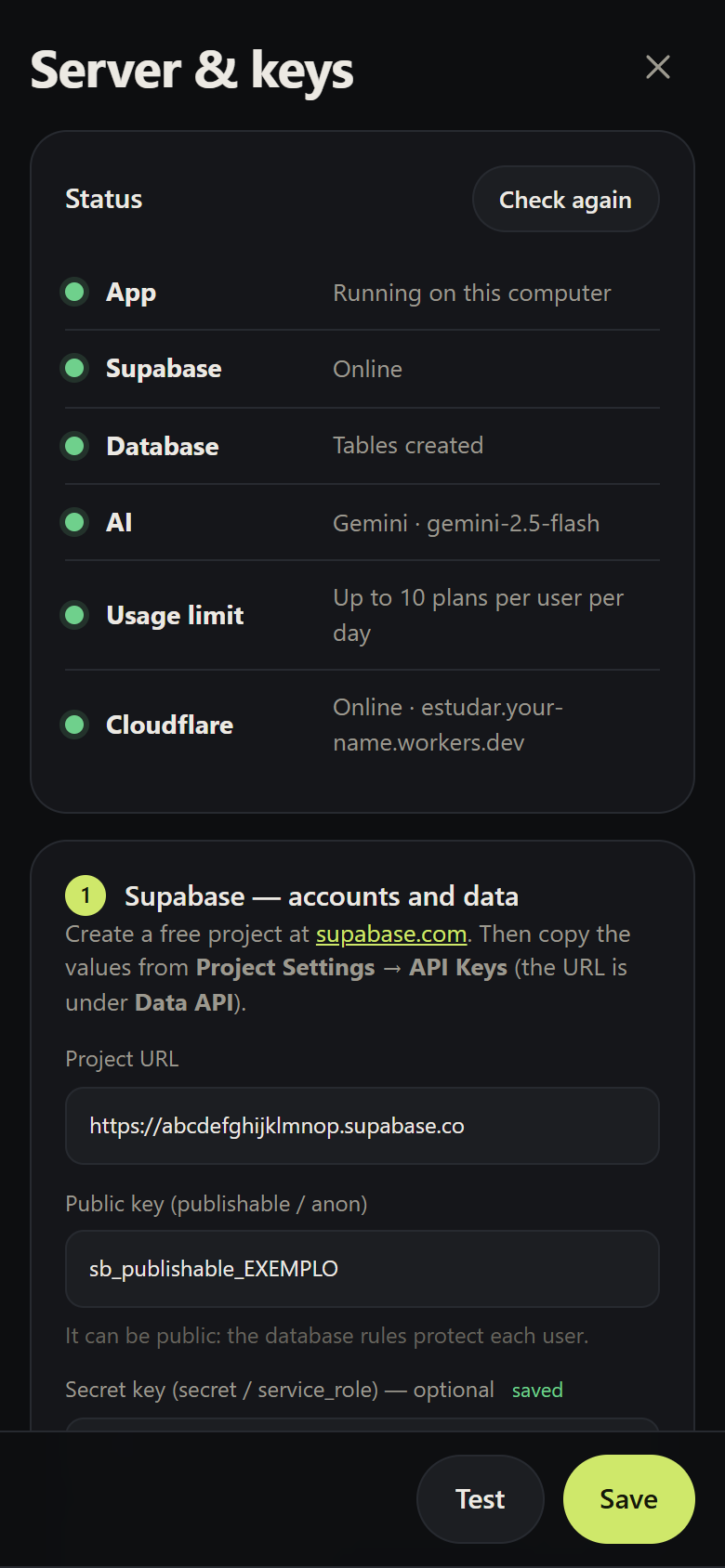
| Dot | What it checks | How |
|---|---|---|
| App | The server responds, and where it runs | GET /api/health |
| Supabase | The project responds and the public key is accepted | GET <url>/auth/v1/health |
| Database | The tables exist | GET <url>/rest/v1/user_data?limit=1 |
| AI | The key and model are valid | Queries the model metadata — uses no tokens |
| Usage limit | There's a secret key to limit generations per person | Configuration |
| Cloudflare | The app is published and the address responds | GET <published url>/api/health |
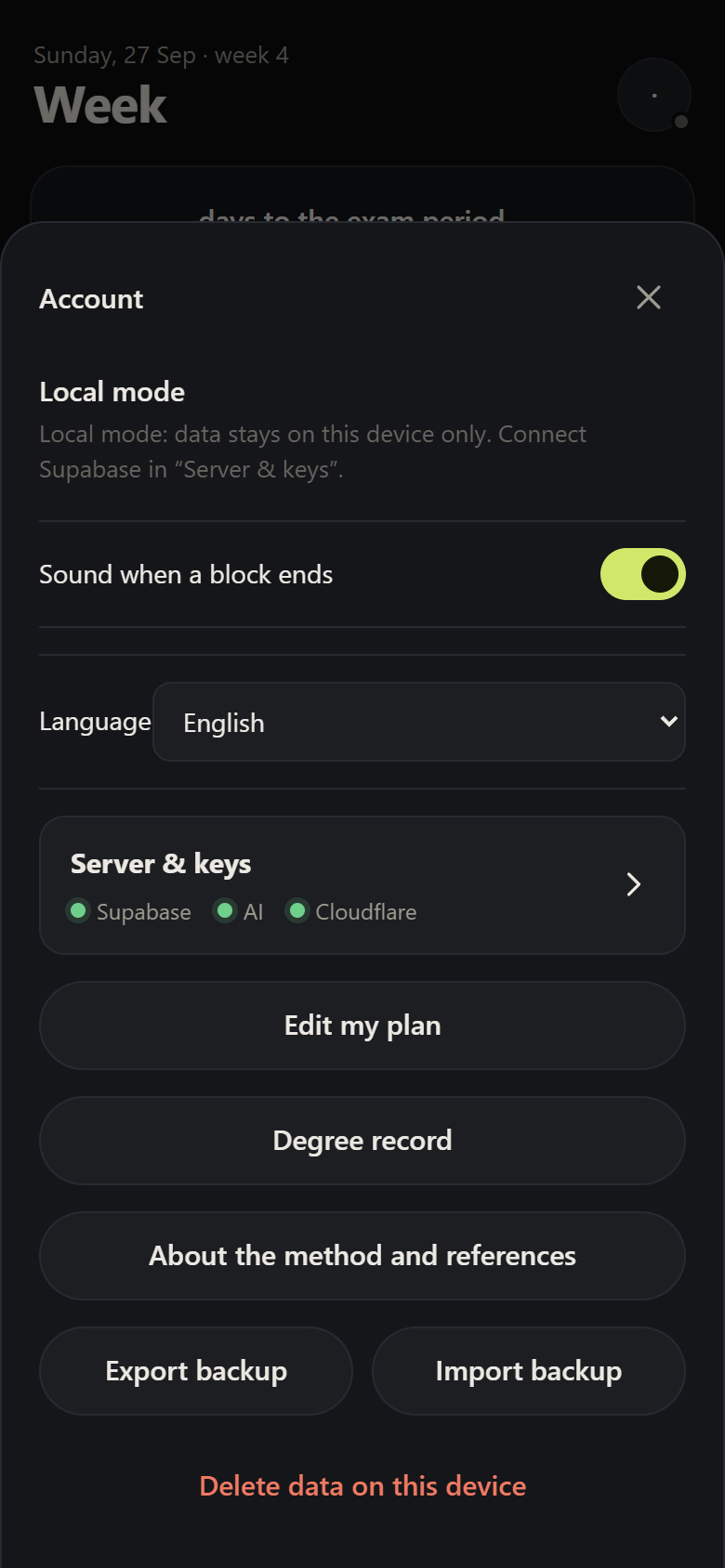
The Account sheet shows a summary with three dots (Supabase, AI, Cloudflare).
Common messages
| Message | What to do |
|---|---|
| Invalid public (anon/publishable) key | Copy the publishable/anon key again from Project Settings → API Keys |
| Tables not created yet | Use Set up (with a token) or copy the SQL |
| Model X doesn't exist | Fix the Model field or leave it empty to use the default |
| Invalid key or no access | Check the key and that it has access to that provider's API |
| Cloudflare account not connected | Connect Cloudflare account and authorise it in the browser |
| Wrangler isn't installed | Run npx estudar@latest again; in a copy of the repository, npm install |
Variables
Locally they live in .dev.vars (in ~/.estudar, or in the project folder in a copy of the repository); on Cloudflare, as Worker secrets. The screen writes and uploads these for you.
| Variable | Required | What for |
|---|---|---|
SUPABASE_URL | for account and sync | Project URL (public) |
SUPABASE_ANON_KEY | for account and sync | publishable/anon key (public; RLS rules protect the data) |
SUPABASE_SERVICE_KEY | no | secret/service_role key; enables the daily AI limit. Server only |
AI_PROVIDER | no | gemini (default), anthropic or openai |
AI_API_KEY | for AI | The provider's key |
AI_MODEL | only for openai | Overrides the default model |
AI_BASE_URL | no | For OpenAI-compatible APIs (e.g. https://openrouter.ai/api/v1) |
MAX_PLANS_PER_DAY | no | AI requests per person per day (default 10) |
AUTH_GOOGLE | no | true to show sign-in with Google |
Security of the setup screen
The setup routes (/api/setup/*) exist only on the local server (npx estudar), never in the published Worker. In addition:
- the local server listens only on
127.0.0.1; - the routes only accept requests with a
localhostHostandOriginand with the app's own header — another site open in your browser can't use them; - secret keys are never sent back to the browser in full (they show as
••••1234); - the Supabase personal token (
sbp_…) stays only in memory during the session.
More in Privacy and security.