Your first plan
The plan is your typical week: which subject you study each day, for how long and with what activity. Open it from Week → Edit plan (or Create plan on the home screen).
Three ways to start
- Example plan — a complete Computer Science plan with two languages. Good for seeing how the app works.
- From your degree record — if you've entered your modules in the Degree record, tick "I'm taking this module now" and they're added to the plan with their ECTS credits and assessment dates.
- By hand — add subjects in the editor.
Fill in the essentials
| Field | What for |
|---|---|
| Dates (start, exams) | Semester phases and the countdown to exams |
| Subjects: name, short code, type, load | Type = University, Languages or Other; load = light, medium, heavy |
| ECTS (optional) | Basis for the time allocation (ECTS are the European credits that measure a module's workload) |
| Exam date per subject (optional) | Review only on the day before; priority in the final week. No date yet? The general date is used — once you know it, enter it and everything adjusts |
| Hours per day | The AI and the check won't let the plan go over this limit |
Generate with AI
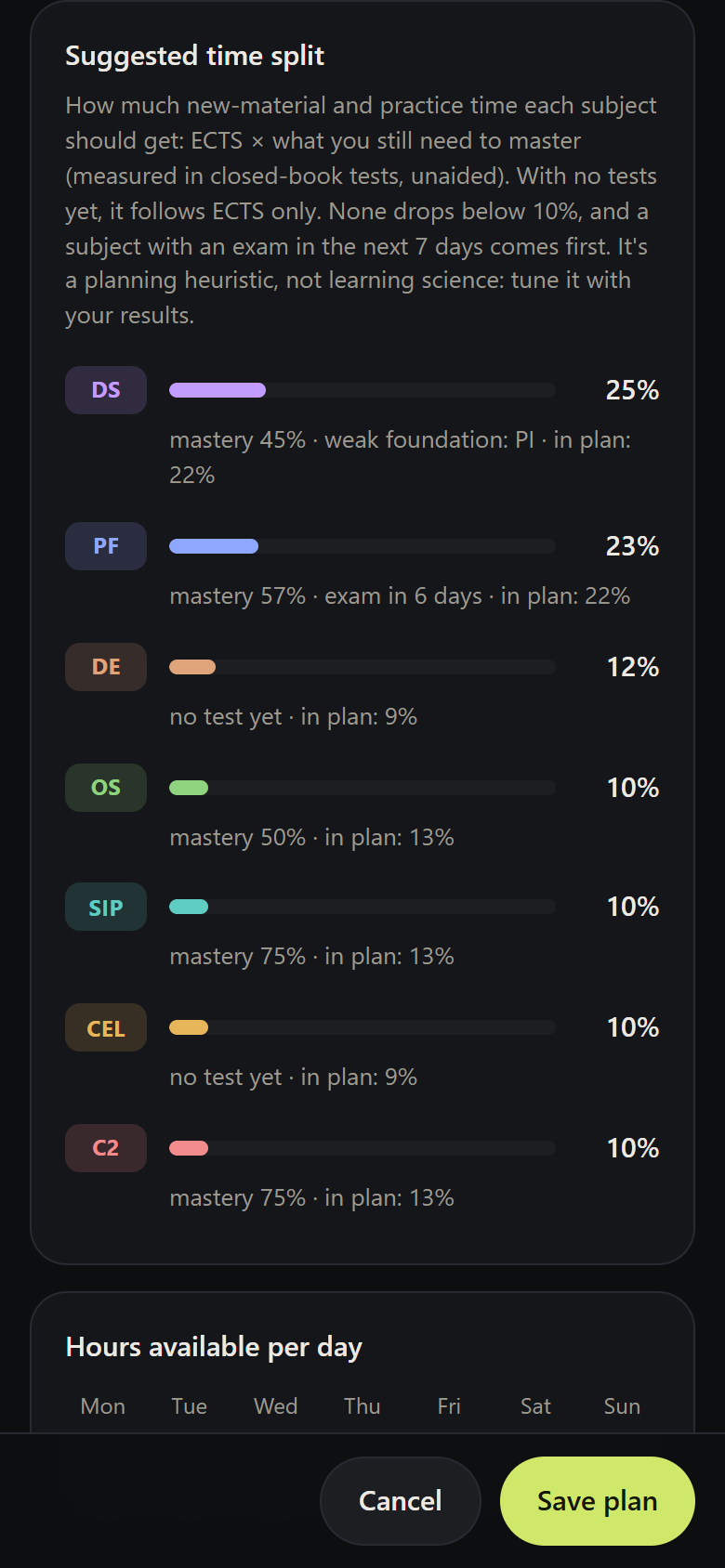
In Generate with AI, add notes if you like ("I work Tuesday afternoons", "the PF exam is written") and click Generate weekly plan. The AI receives the subjects, dates, hours and the suggested time split, and has to follow the rules described in Weekly plan with AI.
Review before saving
The AI can make mistakes. That's why the editor runs a fixed scientific check — always, even on plans made by hand:
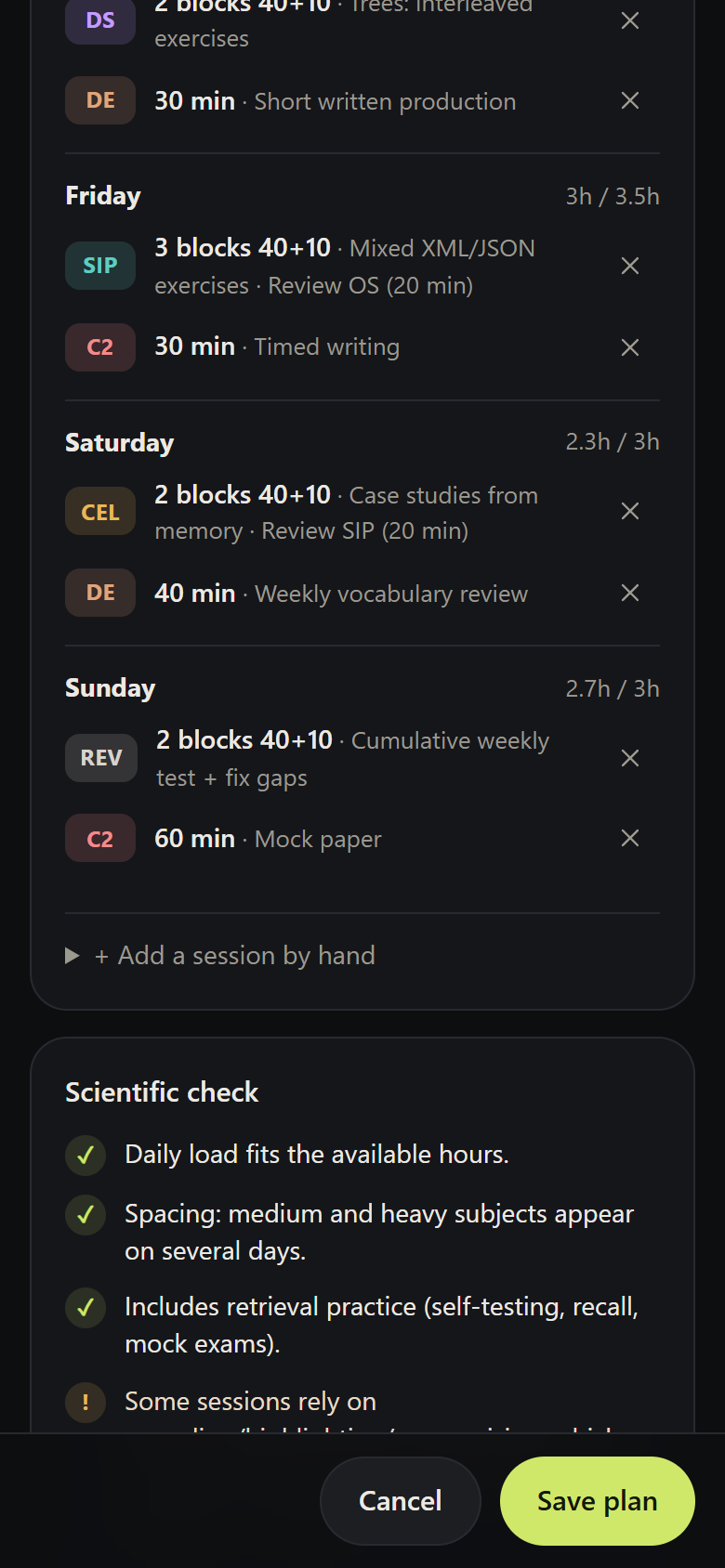
- Does each day's load fit within the available hours?
- Do medium and heavy subjects appear on at least 2 days (spacing)? A review inside another subject's session counts if it mentions the short code ("Review OS").
- Is there retrieval practice (self-testing, recall, mock exams, a cumulative review)?
- Are there sessions based on rereading, highlighting or summarising?
- Do languages have short, frequent sessions (3+ per week)?
You can delete sessions or add them yourself with + Add a session by hand. When it looks right, click Save plan.
When to change the plan
- You found out an exam date → enter it on the subject (or on the assessment, in the degree record). You don't need to regenerate: the alerts and priority adjust.
- You've taken closed-book tests → the suggested split changes with your mastery. Regenerate when the gap from the plan is large (the editor shows "in plan: X%" alongside).
- New semester → in the degree record, mark the new modules as "taking now"; the ones you've passed leave the plan on their own.